
How it works
Several times a day we scan every Magic expansion on CardTrader. For each card printing we compare the cheapest listing with the next one: when the cheapest copy costs much less than the others, it shows up here as a deal. The time of the last check is at the bottom of every page.
Which listings count
- Only CardTrader Zero listings (shipped through CardTrader's hub).
- Sellers on vacation, and signed, altered or graded copies, are ignored.
- Foil and nonfoil are treated as two different cards: a foil is never compared with a nonfoil.
- Only tournament-legal printings are shown (legal in Vintage), which leaves out tokens, art cards, the 30th Anniversary Edition, Collectors' Edition and similar printings. Gold-bordered World Championship Decks cards appear only with the Premodern format filter.
What counts as a deal
For each card we take the minimum (the cheapest listing) and the next best price (the cheapest listing priced above the minimum, chosen as explained below). A card is a deal when both of these hold:
- you save at least 2.00 € compared with the next best price;
- the minimum is below the next best price by at least a certain percentage. Cheap cards need a large discount, expensive cards a smaller one, going from 45% for the cheapest cards down to 18% for cards worth 50 € or more.
Some examples:
| Next best price | Minimum must be at most | Discount |
|---|---|---|
| 5 € | 3.00 € | 40% * |
| 10 € | 6.85 € | 31.5% |
| 20 € | 14.86 € | 25.7% |
| 50 € | 41.00 € | 18% |
| 100 € | 82.00 € | 18% |
* At this price the 2.00 € minimum saving is the stricter rule.
What the discount is measured against
The next best price is always another CardTrader Zero listing of the same card, same foil or nonfoil, never the reference price further down.
We first look only at listings in the same language as the cheapest one. Cheaper copies in other languages are skipped at this step, so the next best price is not always the second cheapest listing you see on CardTrader. If there is no pricier copy in that language, we use the cheapest pricier listing in any language. These cross-language comparisons are weaker: prices differ between languages (Japanese and Korean copies often cost more than English ones), so part of the gap can be just that difference. Tick Same language only on the deals page to hide them.
Condition is never used to choose the next best price: it can be in better or worse condition than the minimum. If the minimum is in a lower condition (for example Played), part of the gap may simply be the normal price difference between conditions, so check the listings on CardTrader.
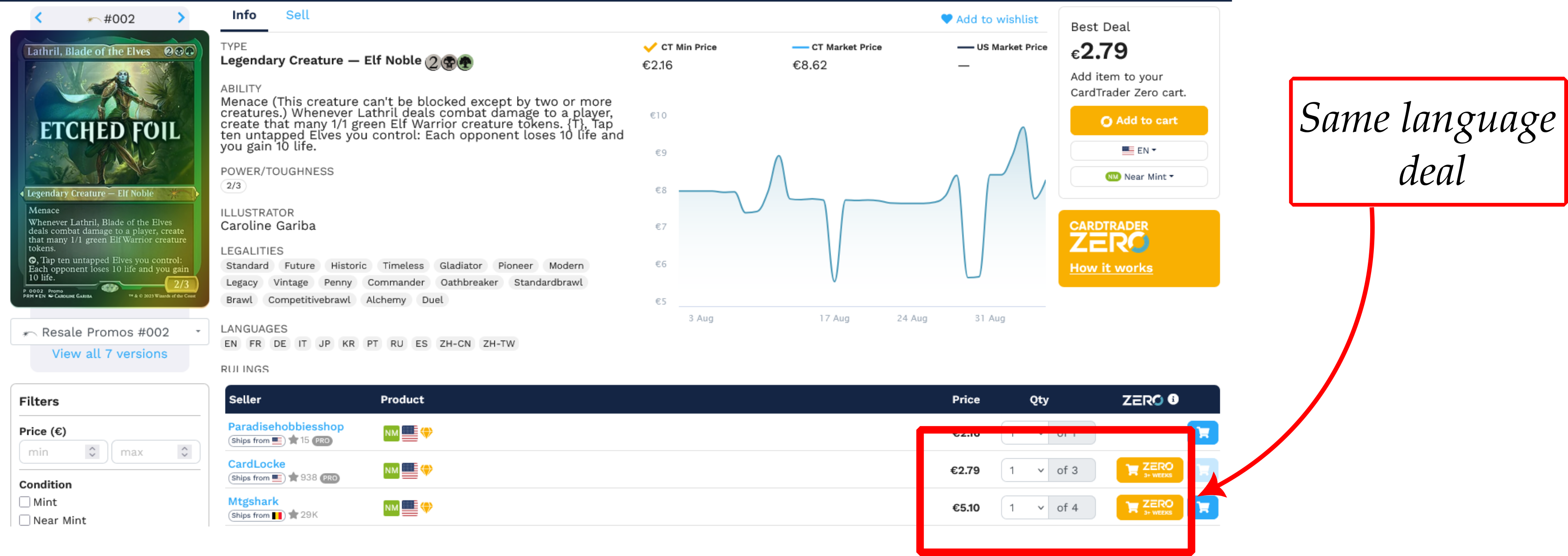
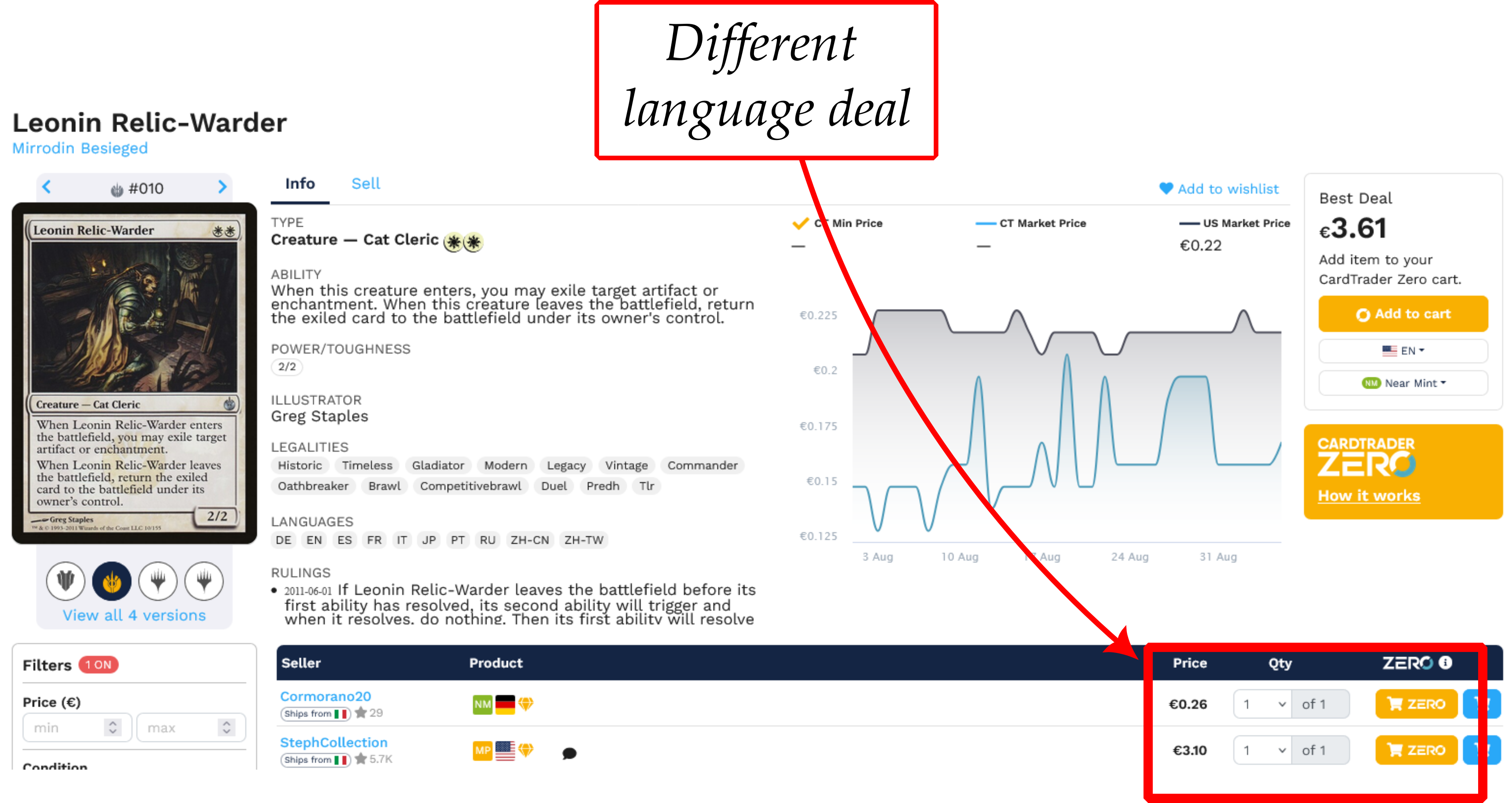
Reading the deals
- Next best: the price we compare against. Below it you see how much you save (+€) and how much more the next copy costs than the minimum (+%). The +% is measured on the minimum, so it is larger than the discount: a minimum of 6 € against a next best of 10 € shows +67%.
- The Hot right now cards show the discount instead (-%): the example above would read -40%. That strip only shows English cards with a same-language comparison, a minimum between 20 and 100 € and no ⚠ warning, ranked by our deal score (see the FAQ).
- Cond / Lang: condition and language of the cheapest listing.
- Copies@min: how many listings share the minimum price. It counts listings, not copies: one seller offering 8 copies counts as 1.
Reference price and ⚠ warnings
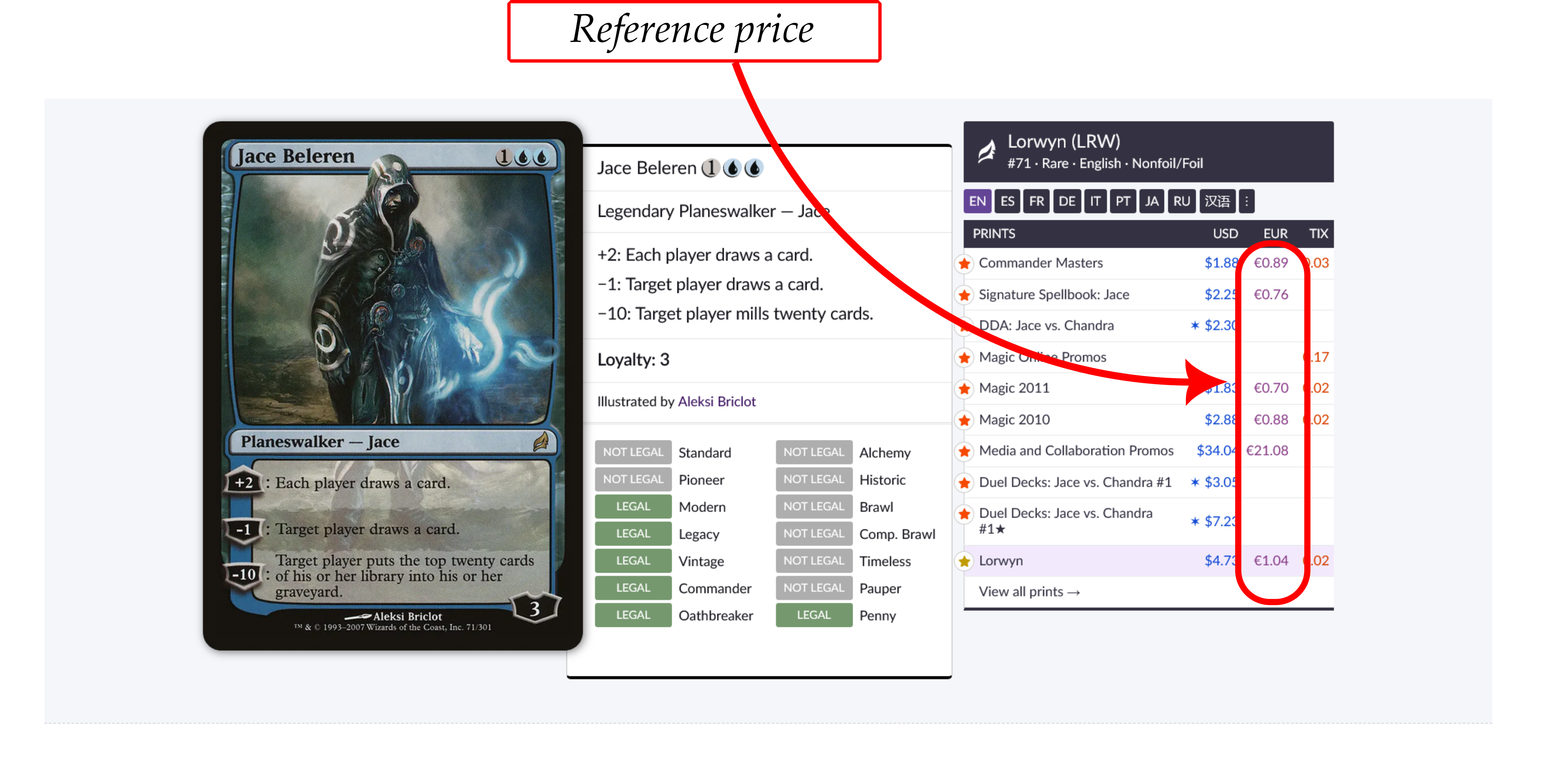
The "Reference €" column is the daily price of this exact printing (foil and nonfoil separately) from Scryfall, which takes its euro prices from Cardmarket. It is not used to compute the discount.
It is used as a sanity check. If the next best price is more than 5 times the reference, that listing is probably a placeholder or a mistake and the discount may be overstated. The row then gets a ⚠ instead of being removed, because the minimum is still a real price you can buy at. Cards without a reference get the ⚠ when the next best price is more than 20 times the minimum. Tick "Hide ⚠ warnings" to hide these rows; Best of the week never shows them.
The reference is also useful on its own: if the minimum is close to the reference, the card is not unusually cheap, the other copies on CardTrader are just priced high.
How fresh the data is
CardTrader's own data can lag a little behind the marketplace, and listings sell at any moment. A deal may already be gone when you click it: always check the price on CardTrader before buying.
Best of the week lists the deals seen in the last 7 days, with their status:
- active: still a deal at the last check;
- sold or removed: the cheap listing was no longer found;
- repriced: the listing is still there but is no longer a deal.
Watchlist and email alerts
On the Watchlist page you can paste up to 100
cards, one per line. Each line may include a quantity, expansion code, foil, language, and
condition; for example 3 Baleful Strix (2XM) (foil) (EN) (SP). Tags are
case-insensitive, and foil works with or without parentheses.
After the cards are recognized, you can check each match and adjust its expansion, finish, language, or condition. A preference set to any matches every value. Select several rows to apply the same finish, language, or condition in one step.
When you save the list, we first send a confirmation link to the email address you provided. After you confirm, you will get a message whenever a matching new deal appears. Deals that were already present when you confirmed do not trigger an alert. If several deals appear together, they are grouped into one email.
Quantity is accepted so familiar list formats work, but an alert means at least one deal appeared: CardTrader does not always report how many copies a listing contains. Confirming a new Watchlist for the same address replaces the previous one. Every email includes a link that stops alerts at any time.
CardTrader links
Card names and "CardTrader →" open the card's page on CardTrader, which shows all its listings: the deal is the cheapest CardTrader Zero listing in the matching foil or nonfoil version. These are referral links, which support the site at no extra cost to you.